Chapter 4 of 4
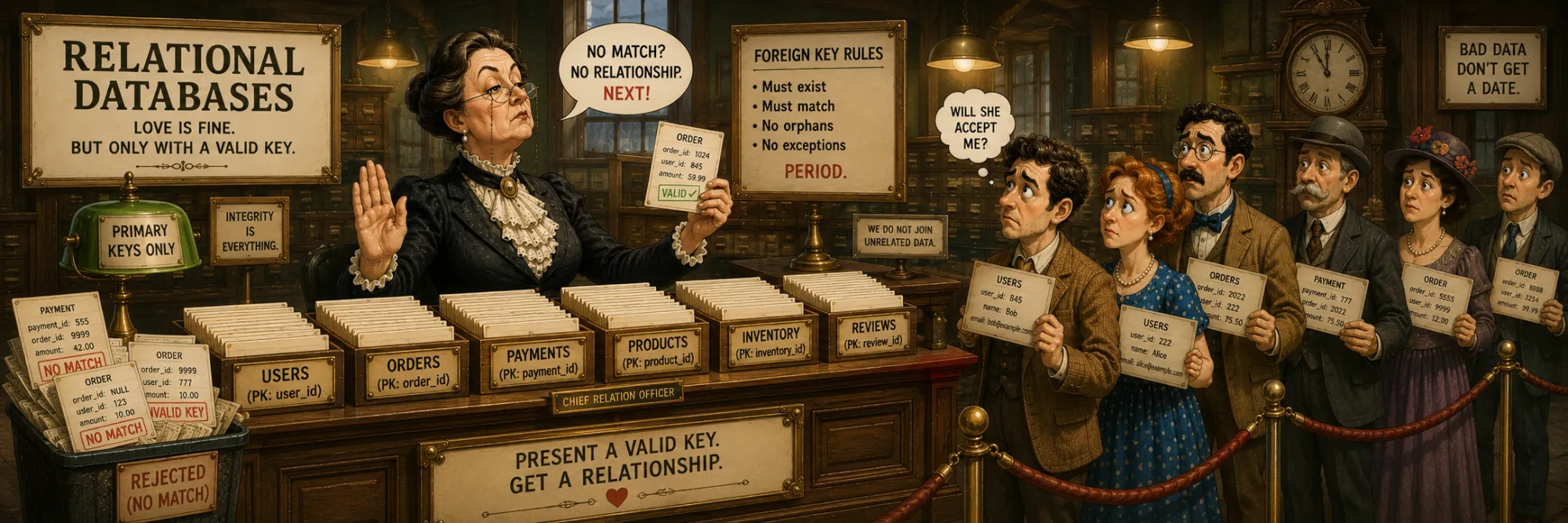
Relational Databases
Created Apr 28, 2026 Updated May 4, 2026
A relational database is a store organized according to Codd's 1970 model: data lives in tables with a strict schema, relationships between tables can be expressed and enforced via foreign keys, and access goes through the declarative SQL language. Over half a century, this model has become dominant in the world of OLTP (online transactional processing) and firmly holds its position even amid the popularity of NoSQL, document DBs, and specialized engines.
In the open-source ecosystem of relational DBMSs, the two main players are PostgreSQL and MySQL. This note is dedicated to Postgres: PostgreSQL is often preferred when the workload mixes transactional access with richer querying, analytics, extensions, or complex data types, and it has the broadest extension ecosystem of any open-source RDBMS.
PostgreSQL — Overview
PostgreSQL is an open-source relational DBMS whose history begins in 1986 at the University of Berkeley. Over nearly forty years of development, it has turned into one of the most functionally rich open-source databases, combining strict ACID semantics with a huge set of extensions and built-in types. The PostgreSQL license is similar to BSD — maximally permissive, without any restrictions for commercial use.
What sets Postgres apart from its competitors:
- MVCC — readers never block writers.
- Rich types — JSON/JSONB, arrays, ranges, UUID, IP addresses, geometry, custom composite types.
- Extensions — pgvector for vector search, TimescaleDB for time series, PostGIS for geodata, and hundreds of others.
- Diverse index types — B-tree, Hash, GIN, GiST, BRIN — for different classes of queries.
- Built-in full-text search without the need for Elasticsearch for simple tasks.
- Support for parallel query execution and a smart planner — works for both OLTP and moderate analytical workloads.
MVCC and Concurrent Access
A fundamental architectural feature of Postgres is MVCC (Multi-Version Concurrency Control). When a transaction reads data, it sees a consistent snapshot at the moment it started, even if other transactions are concurrently modifying the same rows.
Technically, this is implemented as follows: each row stores two service fields — xmin (the ID of the transaction that created this version) and xmax (the ID of the transaction that deleted or updated it). On UPDATE, Postgres does not change the row in place — it creates a new version with the current xmin, and on the old one sets xmax. The VACUUM process in the background removes outdated versions that are no longer referenced by any active transaction.
The most important property that MVCC provides: for ordinary SELECT/INSERT/UPDATE workloads, readers and writers do not block each other. (Explicit locks like SELECT FOR UPDATE, DDL operations, and conflicting writes on the same row are separate cases that do involve waiting.) MySQL InnoDB also has MVCC, but its undo-log approach has its own trade-off: long-running reads prevent the undo log from being purged, which degrades write throughput under sustained load. In Postgres, old row versions live in the heap itself and are cleaned up independently by VACUUM. The trade-off here is similar to but architecturally different: long-running reads in Postgres also hold back VACUUM for the snapshots they reference, and on heavily-updated tables this leads to table bloat, slower scans, and (in extreme cases) transaction-ID-wraparound concerns. Both engines have a version of this problem; the mechanics differ.
The price of MVCC is the need for regular VACUUM and table bloat from old row versions. With well-tuned autovacuum this is usually unobtrusive; on heavily-updated workloads with insufficient vacuum it can grow substantially (2–5× and beyond on the worst tables) and needs operator attention.
Step through three transactions and a VACUUM run to see how versioning, snapshots, and dead-tuple cleanup actually interact.
Type System
The Postgres type system is one of the richest among relational databases. In addition to standard numbers and strings, there is native support for:
- JSON and JSONB — text and binary JSON, respectively.
- Arrays of arbitrary type (
integer[],text[],uuid[]). - Ranges — intervals of numbers, dates, timestamps with intersection and inclusion operations.
- UUID — a native type; UUID generation is commonly done via
gen_random_uuid()(originally from thepgcryptoextension; available without an extension in newer PostgreSQL versions). - Network addresses —
inet,cidr,macaddr. - Geometric types —
point,line,circle,polygon(separate from PostGIS). - Timestamps with timezone —
timestamptzstores a UTC-normalized moment in time. - Time intervals —
intervalstores a duration ('3 days','2 hours 30 minutes').
Plus the ability to create your own composite types and enums — this allows modeling domain entities more precisely than being limited to primitives.
JSONB in Detail
JSONB deserves separate attention — it is one of the most frequently used types in modern Postgres applications. JSONB stores JSON in binary form, which provides several advantages over text JSON:
- Compact and parse-free — stored in a binary representation that drops whitespace and avoids re-parsing on every access. JSONB does not deduplicate keys across documents, and per-document size compared to text JSON depends on the data; JSONB also adds a small per-value type/length overhead.
- Indexability — you can build indexes on individual fields or the entire document.
- Field access operators:
->returns JSON,->>returns text,#>extracts by path. - Matching operators:
@>("contains"),?("has key"),@?/@@(JSONPath queries).
A typical technique is to store a field of variable structure as JSONB when the schema changes frequently or is too heterogeneous for a normal relational model. For example, the message history of a conversational agent naturally fits into a JSONB array, where each element is an object of the form {"role": "user", "content": "..."} or {"role": "assistant", "tool_calls": [...]}. Queries like "find sessions where the agent invoked create_ticket" can be written as WHERE history @> '[{"role": "assistant", "tool_calls": [{"function": {"name": "create_ticket"}}]}]' and can be supported efficiently with the right GIN index and query pattern (deeply-nested array containment in particular benefits from a careful operator-class choice).
Indexes
Postgres has several types of indexes, each for its own class of queries:
- B-tree — the default standard, suitable for equality comparisons and ranges (
=,<,>,BETWEEN). In most cases, this is exactly what gets created. - Hash — optimized for strict equality (
=). Until version 10 it was not crash-safe and was rarely used; now it works fully, but still loses to B-tree in flexibility. - GIN (Generalized Inverted Index) — an inverted index optimized for "many values in a single row": arrays, JSONB, full-text search. Provides fast answers to
@>,?queries, and word search in text. - GiST (Generalized Search Tree) — for geometric and range queries, as well as for custom structures (PostGIS uses precisely GiST).
- BRIN (Block Range Index) — a very compact index for large sorted tables, where the data is naturally ordered (for example, log tables with timestamps). It stores min/max for table blocks, saving memory by orders of magnitude compared to B-tree.
The choice of index depends on the queries: on a telemetry table with hundreds of millions of rows by timestamp, BRIN often turns out to be better than B-tree, and for a JSONB field with frequent @> queries, GIN is indispensable.
Extension Ecosystem
A separate world of Postgres is its extensions. They turn the database into something more than "just a relational store":
- pgvector — adds the
vectortype and distance operators (cosine, L2, inner product) with support for HNSW and IVFFlat indexes. This makes Postgres a competitor to specialized vector DBs for small and medium projects. - TimescaleDB — turns Postgres into a full-fledged time series DB: automatic time-based partitioning, continuous aggregates, efficient compression of historical data.
- PostGIS — the standard for geographic information systems. Supports points, lines, polygons, intersection operations, and coordinate system projections.
- pg_stat_statements — a standard extension for query profiling (shipped with most distributions but enabled via
shared_preload_libraries), showing the most frequent and slowest SQL queries with accumulated statistics. - pg_cron — a task scheduler that runs SQL on a schedule directly inside the database.
Practical takeaway: in many cases, a separate specialized DB is not needed — Postgres with the appropriate extension is enough, and infrastructure complexity is saved.
Schemas and Namespaces
A schema in Postgres is a namespace within a single database. Multiple schemas can live in one DB, each with its own tables, indexes, and functions. Table names are qualified as schema.table; without a prefix, the current search_path is used.
A typical technique is to separate schemas by application domains: core for the main business tables, analytics for aggregated marts, indexer for service states of background processes. This provides three benefits:
- Logical isolation without the overhead of a separate database.
- Different access rights at the schema level: an application can have read-only access to
analyticsand read-write tocore. - A clean migration flow — migrations of each domain live in their own folder, without conflicts.
PostgreSQL vs MySQL
The comparison with MySQL often comes up in architecture discussions. Historically, MySQL was faster on simple OLTP workloads. Modern Postgres has closed that gap on basic OLTP and exceeds MySQL on mixed and analytical workloads; for write-heavy point-query workloads the two are roughly competitive, and the right choice depends on access patterns. The practical differences today:
- JSONB ecosystem. PostgreSQL has a more mature JSONB indexing and operator ecosystem than MySQL's JSON support in many practical workloads.
- Predictability of SQL semantics. Postgres is often perceived as more predictable around constraints, query semantics, and advanced operators, while MySQL behaviour can depend more heavily on storage engine (InnoDB vs others), SQL mode, and configuration.
- Parallel query execution and a smart planner make Postgres noticeably better on analytical workloads.
- MySQL has historically had a slightly simpler default-install experience on common Linux distributions — a smaller advantage today than it used to be.
For new projects, Postgres is a reasonable default in most cases.
Typical Use Cases
Postgres is well suited for several typical roles in architecture:
- OLTP application store — the classic role: transactional data, ACID, strict schema.
- Warehouse layer for ready-made marts — small-volume tables with forecast results, aggregates, reports. Dashboards read from Postgres, batch pipelines write to it.
- State store for background processes and chatbots — with JSONB for arbitrary message form, with separation into schemas for different services, with Alembic for migrations.
- A lightweight replacement for specialized DBs — with pgvector instead of a separate vector DB for RAG, with TimescaleDB instead of a separate time-series DB for telemetry.
The general rule: with good partitioning, indexing, maintenance, and hardware, Postgres can serve surprisingly large datasets — often well into the multi-terabyte range — and saves one or two separate systems in the infrastructure. Once the workload becomes heavily analytical or operationally huge, a dedicated warehouse or lakehouse is usually a better fit, but the cross-over point is much further out than people often assume.
Working with Postgres from an Application
The sections below cover the standard Python tooling stack for connecting to, querying, and migrating a Postgres database.
Access from Python
Working with Postgres from Python is usually built through three layers: driver, ORM, and validation layer.
Drivers:
- psycopg2 — synchronous driver, the long-standing workhorse for migrations, scripts, and synchronous applications. The
psycopg2-binarypackage ships pre-built binaries and is convenient for development and containers; for production some teams still prefer a controlledlibpqbuild to align with their deployment policy. - psycopg3 — a major rewrite that supports both sync and native async (
asyncio) in one driver, plus pipeline mode and other modern features. Recommended for new projects regardless of sync/async choice. - asyncpg — an asynchronous-only driver, generally faster than psycopg2/psycopg3 on raw query throughput. Common in async frameworks (FastAPI, aiohttp, starlette) via
async/await, especially when the bottleneck is database I/O.
ORM:
- SQLAlchemy — the de facto standard ORM in the Python ecosystem. Async engine support arrived in version 1.4 (on top of
asyncpg); version 2.0 introduced the new typing system and made the async API more idiomatic. SQLAlchemy has two "faces": Core (a query builder closer to SQL) and ORM (object-relational mapping); they can be combined. - SQLModel — built on SQLAlchemy + Pydantic by FastAPI's author; integrates naturally with FastAPI when the same models need to serve both as DB rows and as API schemas.
- Tortoise ORM — a separate async ORM with its own design (loosely Django-ORM-flavoured). Has Pydantic-model helpers but is not Pydantic-based; popular in async-first stacks where SQLAlchemy feels heavy.
Validation layer:
Even when an ORM is in use, a separate validation layer based on Pydantic is often used to work with JSONB fields in a type-safe way. Example: a JSONB column stores an array of conversational agent messages. When reading, it can be parsed into Pydantic models:
class Message(BaseModel):
    role: Literal["system", "user", "assistant", "tool"]
    content: str
    tool_calls: list[ToolCall] | None = None
Literal gives both static hints (the IDE and type checkers know which values are allowed) and runtime validation through Pydantic — incorrect values fail at parse time. The tool_calls field is optional because it exists only in assistant messages. Any schema violation (an incorrect role, a missing content) immediately throws a ValidationError — the application fails fast and in the right place, instead of dragging malformed data deep into the business logic.
This approach is convenient when the structure of a JSONB field has a meaningful form (although from Postgres's point of view it is "any JSON"), and is especially good for compatibility with external APIs: the same Message model can be used both for reading from the DB and for sending in the format expected by an external service.
Migrations via Alembic
Alembic is the standard migration tool in the SQLAlchemy ecosystem. Migrations are scripts that describe changes to the database schema (add a column, create an index, rename a table) that are applied in strict order. Each migration has a unique ID (revision) and a reference to the previous one (down_revision), which forms a linear history.
# migrations/versions/001_add_forecasts.py
def upgrade():
    op.create_table('forecasts', ...)

def downgrade():
    op.drop_table('forecasts')
The command alembic upgrade head applies all missing migrations up to the latest; alembic downgrade -1 rolls back one migration. Alembic itself tracks in a special alembic_version table which migrations have already been applied in a specific DB, and applies only the new ones.
Why this tool is needed in principle:
- Schema versioning — all changes live in Git, with a complete history of changes and who made them visible.
- Reproducibility — dev, staging, and prod environments get identical schemas when CI is set up properly.
- Rollback — each migration has
upgrade()anddowngrade()methods, which allows rolling back when problems arise. - Code review — schema changes go through pull requests, architectural decisions are discussed before reaching prod.
Alembic can autogenerate migrations by comparing current SQLAlchemy models with the actual schema in the database (alembic revision --autogenerate). This is convenient, but requires manual review — autogenerate does not always correctly understand renames and complex constraint changes.