Chapter 3 of 4
Object Storage
Created Apr 28, 2026 Updated May 4, 2026
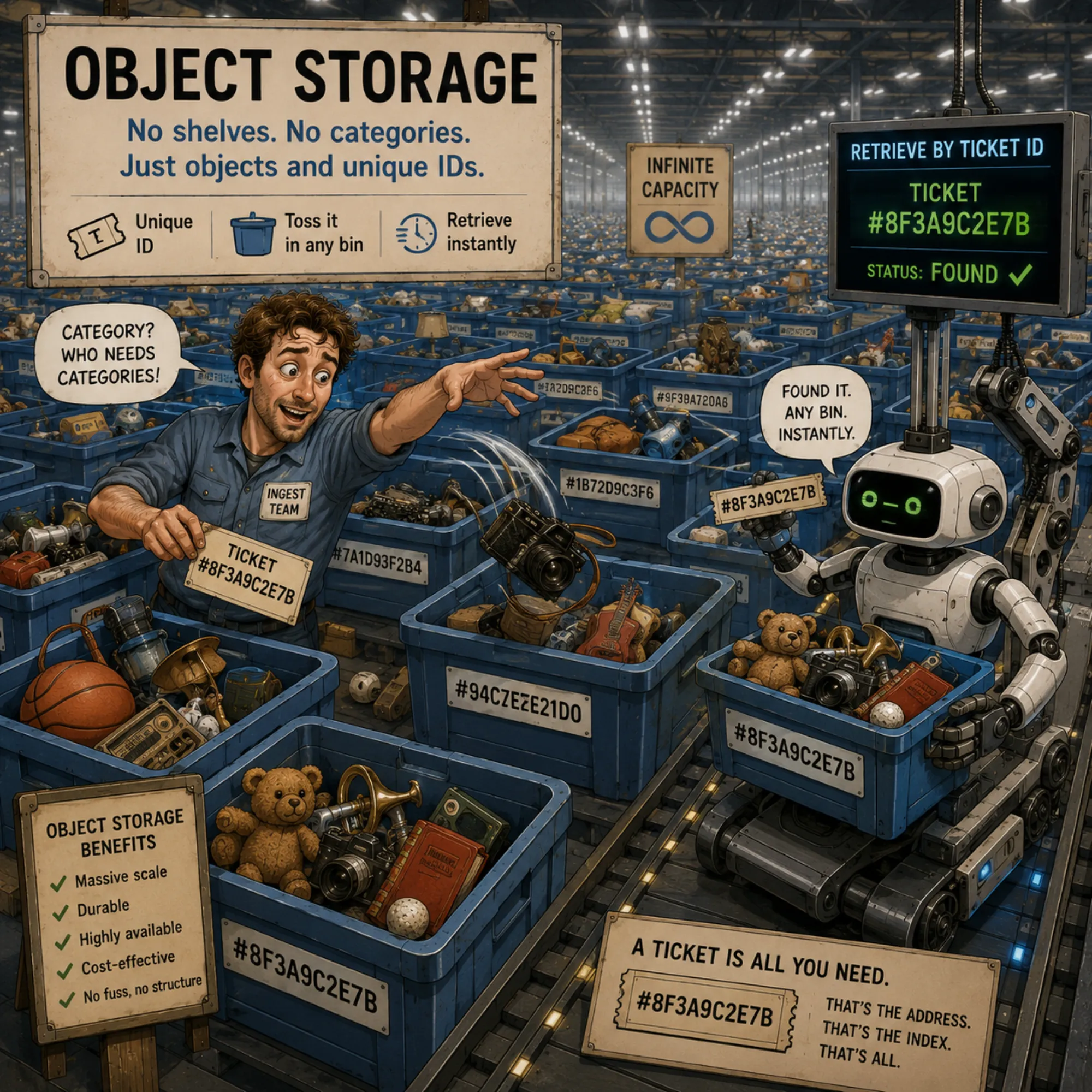
Object storage is a way of storing data not as files in a file system and not as blocks on a disk, but as named "objects" in a flat address space. Each object has a unique key, a set of metadata, and the content itself. Objects are organized into buckets — top-level namespaces — but inside a bucket there is no real folder hierarchy: a path like year=2026/month=04/data.parquet is just part of the key, not an actual folder.
This model is specifically designed for three requirements:
- Scale up to petabytes and billions of objects. In a traditional file system, every folder with a million files is a problem; in object storage, a billion objects in a single bucket is the norm.
- High availability and durability through distribution and replication across nodes.
- HTTP-based API as the primary interface — access goes through regular network calls, which lets you work from any environment, in any language, without mounting a file system or installing special drivers.
The canonical example and de facto standard is Amazon S3 (Simple Storage Service), introduced in 2006. S3 has had such an outsized impact on the industry that its API has become a standard: dozens of other products (Minio, Ceph with the S3 gateway, Cloudflare R2, Backblaze B2, Wasabi) support exactly the same REST interface, and Google Cloud Storage exposes both its own native API and an S3-compatible "interoperability" mode. This brings tremendous freedom: code that works against S3 can be ported to any compatible backend with almost no changes, and vice versa.
Azure Blob Storage follows the same object-storage idea but exposes its own API and SDK ecosystem rather than the S3 API, so working with it requires Azure-specific tooling.
Key concepts of the S3 model
- Bucket — a namespace for objects, the analog of a "top-level folder". Each bucket has a globally unique name and a set of settings (region, access policies, versioning, lifecycle).
- Object — a file plus metadata (size, content-type, arbitrary user-defined headers). In S3, the maximum size of a single object is 5 TB (uploaded via multipart upload; a single PUT request is limited to 5 GB).
- Key — the path to an object inside a bucket. Technically it is just a string; the convention is to use
/as a separator and build hierarchical paths likeyear=2026/month=04/day=22/data.parquet, but this is a convention, not an actual directory structure. - Versioning — the ability to keep a history of versions of an object. It is enabled at the bucket level; once enabled, any overwrite or deletion creates a new version, and old ones can be restored.
- Lifecycle policies — rules that automatically delete old objects or move them to "cold" storage (S3 Glacier, Azure Archive) on a schedule. They save money on data that is needed only rarely.
Minio as a self-hosted implementation
Minio is an object store with an S3-compatible API that you can deploy yourself. The storage server is open-source under the AGPL license, written in Go, and shipped as a single binary. You can run it anywhere — on a developer's laptop, an on-premise server, or a Kubernetes cluster — and get an API that is largely indistinguishable from Amazon S3 for typical workloads. Note: while the server itself remains AGPL, some management-tooling features (notably parts of the Web UI) have moved to commercial licensing in recent releases, which has been a topic of community discussion.
Erasure coding instead of classical replication
Minio's fault tolerance is built not on classical replication (where several full copies of each file are kept), but on a mathematical approach called erasure coding, which is used by RAID-6 and modern distributed systems.
The idea is this: each object is split into N data blocks, and from them M parity blocks are computed. In total you get N+M blocks, which are distributed across the nodes of the cluster. If any M blocks (data or parity) are lost, the remaining N blocks are sufficient to reconstruct the data using linear-algebra inverses. The exact tolerance depends on the chosen ratio: with N=4, M=2 you can lose 2 of 6 blocks; with N=4, M=4 (Minio's default in some small-cluster configurations) you can lose half.
This is roughly twice as space-efficient as full replication: when storing three copies, the overhead is 200% (for 1 TB of useful data you spend 3 TB of disk), whereas erasure coding with N=4, M=2 gives 50% overhead (for 1 TB of useful data — 1.5 TB of disk) at a similar order of magnitude of durability.
Full S3 API compatibility
The main advantage of Minio is broad compatibility with the S3 API. Any library or utility that works with S3 (boto3, aws-cli, the AWS SDK for any language) works with Minio after switching the endpoint URL and credentials, for the bulk of operations: basic CRUD, multipart uploads, presigned URLs, common ACL patterns. A handful of S3-only advanced features (Object Lambda, Multi-Region Access Points, Transfer Acceleration, some inventory and analytics tooling) are AWS-specific and do not exist on Minio, and the surrounding details — IAM-style policies, lifecycle rules, notifications, encryption, object locking — sometimes have minor differences in semantics or feature scope. For many basic data-lake and ML-pipeline operations, though, the application code often changes very little beyond endpoint and credential configuration: today you use on-prem Minio, tomorrow you move to AWS, and most of the code stays the same.
In practice, Minio is chosen when:
- Data isolation inside the company perimeter (on-premise) is required — for compliance reasons or to operate in environments without internet access.
- A cheap S3-compatible environment is needed for development and tests — a local Minio comes up in Docker in seconds.
- Predictability of costs matters: at large data volumes, managed storage becomes expensive, while self-hosted Minio costs only the hardware.
Alternatives
- AWS S3 — the managed service from Amazon, the progenitor of the entire model. More expensive, but with no operations to run.
- Ceph with the S3 gateway (RADOS Gateway) — more powerful and flexible, supports block, file, and object storage in one system, but substantially harder to operate.
- Cloudflare R2 and Backblaze B2 — S3-compatible cloud storage often chosen for lower-cost or egress-heavy workloads, with pricing structures more favourable than AWS for those access patterns. Exact pricing changes regularly and should be checked at the time of deployment.
- Azure Blob Storage — not S3-compatible, with its own API (as noted in the intro). Chosen when the infrastructure is already in the Azure ecosystem.
- Google Cloud Storage — same object-storage model as S3; has a native API and an S3-compatible interoperability mode. Many S3 tools can work against it using interoperability credentials and an endpoint change, although not every S3 feature maps perfectly.
For most data-lake scenarios — storing Parquet files, ML model snapshots, intermediate pipeline artifacts — any S3-compatible storage is sufficient. The choice between managed and self-hosted comes down to the trade-off "operational effort versus direct storage costs".