Chapter 10 of 10
Interpretability and Production Maintenance for Deep Learning Time Series
Created Apr 28, 2026 Updated May 14, 2026
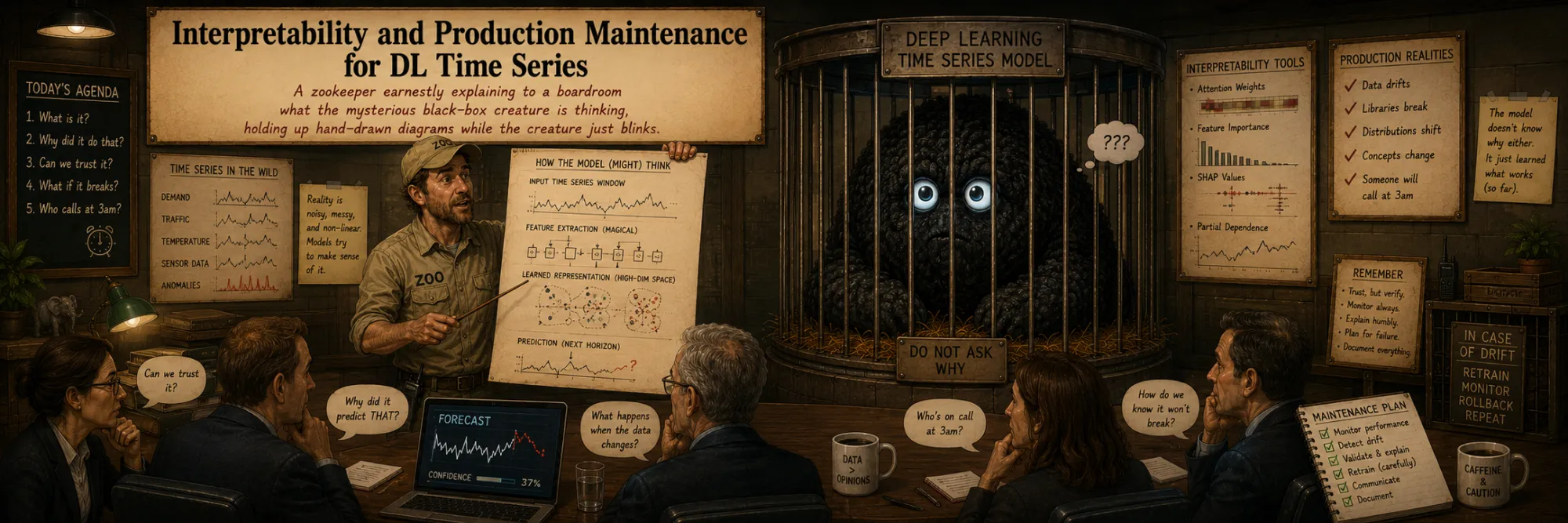
After a deep learning forecaster is trained, two practical questions tend to dominate the rest of its lifecycle:
- Can we explain individual forecasts? When a model predicts a particular value for tomorrow, we often need to know which inputs drove that prediction — for stakeholders, for debugging, for regulatory review.
- Can we keep the model useful as the data changes? Real-world distributions shift; a model trained six months ago drifts away from the world it was trained on, and the production system has to keep up without expensive full retrains every week.
This note focuses on two practical post-training tools that address those questions: SHAP for explaining predictions, and recalibration for lightweight adaptation to drift. The rest of the production-maintenance lifecycle — drift monitoring, online evaluation, versioning and rollback, latency and serving, sampling for retraining data — is listed as a roadmap at the end rather than expanded in full. Each of those deserves its own article eventually.
The companion to this one is the training recipes note, which covers the training side — initialization, dropout, optimizer, sliding windows, loss functions, the compile + fit workflow. Together the two cover the practical work that surrounds a deep learning time-series model end to end.
Explaining predictions with SHAP
SHAP — an explainable AI framework that provides a principled way to attribute a model's prediction to its inputs. The name is a wordplay: an abbreviation of SHapley Additive exPlanations, and at the same time a reference to Shapley values — the underlying concept from game theory. SHAP has become one of the standard tools for per-prediction interpretability in industry.
What SHAP explains
The central question SHAP answers is: for a specific prediction (the model said value = 150 for tomorrow), which inputs specifically contributed to that result, and in what quantitative proportions?
This is per-prediction interpretability — not global "which features are important overall", but the contribution of each input in one specific case. Such information is critical for decision-making stakeholders: a manager looking at "high demand predicted for next Monday" wants to know why the model predicted it before acting on it.
Theoretical basis — Shapley values
SHAP is based on Shapley values — a concept from cooperative game theory developed by Lloyd Shapley (Nobel 2012).
The original context: a coalition of players combines efforts and gets a collective payoff — how to fairly distribute that payoff among players given their different contributions? The Shapley value of each player is the average marginal contribution across all possible coalitions.
In ML, the contribution of each feature to the prediction is computed in the same way: average difference of prediction with and without that feature, across all possible subsets of other features. This gives a feature attribution that satisfies a small set of useful axioms (efficiency, symmetry, dummy, additivity).
Three features {A, B, C}, a hand-picked function f over all 2³ subsets, and for the feature you pick, every (S, S ∪ {f}) pair laid out with its marginal contribution and Shapley weight. Hit the additivity check at the bottom: SV(A) + SV(B) + SV(C) sums exactly to f(all) − f(∅). That identity is what gives SHAP its precise per-prediction decomposition. Real Kernel SHAP samples coalitions instead of enumerating them all, but the underlying construction is this.
SHAP shape for forecasting models
In tabular models, a SHAP value usually corresponds to one feature column. In sequence forecasting models, the input is often 3D: (batch, window_size, n_features). This means explanations are not naturally indexed by a single "feature column" — they are most usefully read as (feature, lag) pairs:
salesatt-1salesatt-7promo_plannedatt+3day_of_weekatt+10
Each of these is its own "input" from the model's perspective, and SHAP can attribute the prediction to each of them separately. So a single forecast can be explained with statements like "yesterday's demand contributed +20, the same weekday two weeks ago contributed +15, the planned promo on day t+3 contributed −5".
For multi-horizon forecasting the picture is even richer: SHAP values can also be output-specific. The explanation for y(t+1) is generally not the same as the explanation for y(t+30) — the first is dominated by recent lags, the second by seasonal and known-future signals. A full attribution table for one prediction can therefore have shape (window_size, n_features, horizon). In practice it is often useful to aggregate this — sum across the lookback window for a per-feature-per-horizon view, or sum across the horizon for a per-(feature,lag) view — but the underlying fine-grained structure is there if you need it.
Rows are features, columns are lag positions (the bold now line splits past from horizon). Cell colour is the SHAP value at that (feature, lag) input — red pushes the forecast up, blue down. Hatched cells are (feature, lag) combinations the model never sees: past covariates don't exist on the future side, future-known covariates aren't useful as historical lags. Switch between y(t+1), y(t+7), and y(t+30): at the short horizon the heat clusters on recent target lags; at the long horizon the same model leans on seasonal lags and future-known covariates. Same input, different per-horizon attribution — the multi-horizon point this section makes, made visual.
Choice of explainer
explainer = shap.KernelExplainer(model_predict, background_data)
shap_values = explainer.shap_values(X_sample)
The SHAP library has several explainers for different model classes. The right one depends on what kind of access you have to the model:
- TreeExplainer — exact and fast for tree-based models (LightGBM, XGBoost, CatBoost). Linear in the number of trees.
- DeepExplainer / GradientExplainer / Integrated Gradients-style approaches — gradient-based explainers for neural networks where the framework lets you compute gradients of the output with respect to the inputs. Often substantially faster than KernelExplainer for large sequence models.
- KernelExplainer — model-agnostic; it treats the model as a black-box
predictfunction and approximates Shapley values via weighted linear regression on permutations of features. It is useful when the model can only be treated as a black box, and works as a general fallback. The cost is that it can be slow on large 3D sequence inputs.
For deep learning forecasters specifically, KernelExplainer is the safest fallback when nothing else is available, but if the framework allows gradient-based access, a specialized neural-network explainer is usually the right first choice.
How Kernel SHAP works
Kernel SHAP approximates Shapley values via weighted linear regression on permutations of features. For each feature f:
- It generates subsets of the other features (coalitions).
- For each coalition, it computes the prediction with
fand withoutf(substitutingf's value with one drawn from the background sample). - The difference is the marginal contribution of
fin that coalition.
Exact Shapley values would require considering all 2^n subsets, which is impractical. Kernel SHAP samples a manageable subset and applies weighted linear regression, with weights derived formally from game theory so that the result preserves the Shapley axioms while being computationally tractable.
Computational cost
- Theoretically:
O(2^num_features)for exact Shapley values. - Practically (Kernel SHAP with sampling):
O(nsamples × num_features).
For sequence models, num_features here usually means the flattened number of (feature, lag) inputs, not just the original number of raw columns. A model that "has 8 features" but consumes a 90-step lookback window is effectively a 720-input model from SHAP's perspective. If the explanation is also output-specific (per horizon step), the cost multiplies again by the number of horizon positions you choose to explain.
For a model with 20 features and 100 examples, plain Kernel SHAP is minutes on a modern CPU. For a deep learning model with hundreds of (feature, lag) inputs and a wide horizon, it can be hours. This usually limits SHAP to representative samples — pick a set of interesting examples (large prediction, small prediction, suspected bug case) and explain those — rather than every prediction in the production stream.
Order-of-magnitude runtime estimate (rough rules of thumb, not a serious calculator). Move the model and explanation sliders and watch which colour zone each explainer lands in. Window_size = 90, features = 8, predictions = 100, no per-horizon — Kernel SHAP is in “minutes”. Turn on per-horizon at horizon 30 — Kernel jumps to “days”. Push predictions to 5000 — “impractical”. Deep / Gradient explainers stay roughly two zones cooler at the same dimensions, which is exactly why the article recommends them over Kernel SHAP for big sequence models.
Output and interpretation
shap_values[i, j]— contribution of inputjto predictioni(wherejindexes the flat list of(feature, lag)inputs for sequence models, possibly further indexed by horizon step).- Sum over inputs = prediction − baseline, where the baseline is the average prediction over the background sample. This is the additivity property that gives SHAP its precise decomposition: "prediction 150 = baseline 100 + lag_1 contributing +30 + lag_7 contributing +25 − weather contributing −5".
- Global importance is obtained by aggregating across many examples — the mean absolute SHAP value per input is a feature-importance ranking.
SHAP values can be visualized via waterfall plots (per-prediction), force plots, summary plots (global), and dependence plots — a rich tooling ecosystem.
The canonical SHAP visualization. The top line is the baseline — what the model would predict on average over the background sample. Each bar below is one (feature, lag) input's contribution: green pushes the forecast up, orange pushes it down. The bars stack head-to-tail; the bottom line is the actual prediction. Baseline + Σ contributions = prediction exactly — that's the additivity property the article highlights, and it's what makes SHAP a clean decomposition instead of a vague ranking.
Caveats — what SHAP does not tell you
A few things are easy to over-claim about SHAP, and they all matter especially for time series.
SHAP values are not causal effects. They explain the model's prediction under a chosen background and masking scheme. They do not tell you what would happen in the world if you intervened on a feature.
Correlated inputs split attribution in non-obvious ways. Time-series features are almost always strongly correlated: sales_lag_7 and a 7-day rolling mean carry overlapping information; weekday flags overlap with seasonal averages; lagged target values overlap with each other. Kernel SHAP attributes the prediction under the assumption that masked features are replaced by background samples, which is often unrealistic for correlated features — so the attribution between, say, lag_7 and rolling_mean_7 can be split differently than human intuition would suggest. SHAP should be read as explanation of model behavior, not as proof that one feature caused the forecast.
The setup is deliberately stark: the true model uses only x₁; x₂ is correlated noise the model never reads. Yet as ρ(x₁, x₂) rises, KernelSHAP under a marginal background increasingly splits attribution between the two. The total stays exactly 2.0 (additivity), but the per-feature credit depends on how correlated the features are. SHAP values explain model output under a chosen masking scheme, not what the model "really" depends on.
The choice of background matters. Different background datasets (a uniform sample of training data, the most recent month, a per-segment background) can give different attributions for the same prediction. This is not a bug — it reflects what "without this feature" actually means in your context — but it does need to be reported when SHAP results are quoted to stakeholders.
Two waterfall plots of the same forecast under different background datasets. The final prediction (160) is identical because the model and input don't change. What shifts is the baseline — the average prediction over the background sample — and therefore the per-feature contributions that bridge the gap from baseline to final. Pick different backgrounds in the two panels to see how the same prediction gets explained in completely different ways. When SHAP results are quoted to stakeholders, the background dataset has to be quoted with them.
Lightweight adaptation with recalibration
Once a model is in production, the data underneath it keeps changing — customer preferences evolve, business rules change, external factors shift (a pandemic, a new competitor, an economic cycle). A model trained on historical data slowly becomes less accurate. This is concept drift, and it has to be addressed somehow.
The naive answer is to retrain the whole model periodically on fresh data. For a deep network this is expensive — hours of GPU time, possibly a tuning cycle, and every retrain is a deployment event with its own risks. Recalibration is the lightweight alternative: keep the large base model fixed and train a small correction layer on recent data.
A safer formulation: residual recalibration
A first attempt at recalibration is to wrap the base model in a small Dense layer that maps base predictions to adjusted predictions:
class RecalibrationWrapper(tf.keras.Model):
    def __init__(self, base_model, horizon):
        super().__init__()
        self.base_model = base_model                        # large trained model
        self.recalibrator = layers.Dense(horizon)           # small linear layer

    def call(self, inputs, training=False):
        base_outputs = self.base_model(inputs, training=False)   # always frozen
        return self.recalibrator(base_outputs)               # arbitrary linear remap

    def freeze_base_model(self):
        for layer in self.base_model.layers:
            layer.trainable = False
        self.recalibrator.trainable = True
The shape of this is a custom Keras Model with two components: the large pre-trained base_model and a small recalibrator (a single Dense layer with horizon outputs). Inputs go through the base model, base outputs go through the recalibrator, the final output is the adapted forecast. freeze_base_model() is the helper that disables training on the base model so only the recalibrator updates.
In real training code, freeze_base_model() should be called before compiling and fitting the wrapper. Passing training=False to self.base_model(...) only disables training-time behavior like dropout and batch-norm updates inside the base; it does not by itself prevent the optimizer from updating the base weights. Without an explicit freeze_base_model() call, model.fit(...) may still see the base weights as trainable and update them — which is exactly what recalibration is supposed to avoid.
This works, but Dense(horizon) applied to a horizon-shaped vector learns an arbitrary linear remapping of the base forecast — it is free to ignore the base prediction entirely. A safer formulation is residual recalibration: the wrapper predicts a small correction on top of the frozen base forecast rather than replacing it. Conceptually:
def call(self, inputs, training=False):
    base_pred = self.base_model(inputs, training=False)
    correction = self.recalibrator(base_pred)
    return base_pred + correction
Or even more constrained — affine calibration, final = a * base + b, with just two learnable parameters per horizon step. This anchors the recalibrated output to the original model and makes overfitting on a tiny recent window much harder. For time series in production this is usually the more robust choice.
A large pre-trained base model captures the bulk of the forecasting structure and stays frozen in production (locked icon, dashed border). A small trainable head on top adapts to recent drift. The diagram shows the parameter ratio — typically 100×–1000× compression compared to retraining the whole network — and the three head choices in order of robustness: full Dense can fix anything but easily overfits a tiny recent window; residual anchors output to the base prediction; affine has only a per-horizon scale and shift, almost impossible to overfit. The article calls the residual/affine forms "the more robust choice in production".
Recalibration process
It's used periodically (daily, weekly, depending on drift speed):
- Freeze
base_model(trainable=False). - Train only the recalibrator on a recent window of data — often days or weeks, depending on the number of series, the horizon length, and how fast the data is drifting.
- The recalibrator has very few parameters and is much less prone to overfitting than the full model, especially in the residual / affine form. (It can still overfit if the recent window is small and noisy — fewer parameters is a reduced risk, not an immunity.)
A practical caveat about how much recent data is enough: for a single time series, a few recent days may be too little to estimate even a small correction stably; for a panel of thousands of related series, the same calendar window provides many training examples and is usually plenty. The right window size is a function of your panel breadth, your horizon, and how aggressively the data is drifting — there is no universal "5 epochs on N days" recipe.
A synthetic series with built-in concept drift (slowly growing amplitude and level shift). A small AR base model is trained on the first 100 days, then frozen. From there, two production models run forward in parallel: no recalibration (orange) keeps using the day-100 base forever; with recalibration (green) refits a tiny affine head a · base + b on the last R days every K days. The bottom chart is rolling MSE — orange climbs as drift accumulates, green gets clipped back down at every refit. Push drift to 0 and the lines overlap (no drift, nothing to fix). Push drift up and the gap widens. Make recalibration interval too long and green tracks orange between refits.
When recalibration is enough — and when it isn't
Recalibration is the right tool when the shape of the model's predictions is still roughly correct but a global bias or scale has drifted (everything is now systematically 10% too low, every forecast at hour-of-day 9 is shifted, etc.). In those cases a tiny correction layer captures the shift cheaply.
Recalibration is not enough when the underlying patterns themselves change — a new product line with no analog in training, a structural change in seasonality, an entirely new exogenous regime (different pricing model, different operating hours, different upstream pipeline). When the model needs to learn new structure, no amount of recalibration will substitute for a real retrain. The honest production design uses both: recalibration for routine drift, full retrains scheduled (or triggered by drift monitors) for structural changes.
Transfer learning pattern in general
This is a classical transfer learning pattern from the deep learning world:
- The pre-trained model acts as a feature extractor — its output captures all complex patterns.
- A small task-specific head on top learns specific adaptation.
This pattern is everywhere — fine-tuning BERT for custom NLP tasks (frozen BERT body + trained classification head), using ResNet as an image feature extractor for domain-specific classification, recalibrating a time-series model on top of a frozen forecaster. Parameter-efficient adaptation methods such as LoRA follow a related idea, though through a different mechanism: instead of a head on top, they adapt a large pretrained model by training only a small number of additional parameters interleaved into the existing layers. The shared underlying observation across all of these: most of the "intelligence" lives in the pre-trained part, and task-specific adaptation only needs a small additional learning step.
Production maintenance roadmap
SHAP and recalibration are the two practical post-training topics this note covers in depth. The rest of the production-maintenance lifecycle has several more concerns that show up sooner or later — they are flagged here as a roadmap rather than expanded in full. Each of them is worth its own article eventually.
- Drift monitoring. Recalibration only helps if you know when to apply it. Drift monitoring tracks whether the input distribution, the prediction distribution, or the realized error distribution has shifted from training-time baselines. Common signals: population stability index (PSI) on input features, KL divergence on prediction distributions, rolling-window error metrics (MAE, sMAPE, quantile coverage) compared against historical averages. A monitor that fires triggers either a recalibration cycle or a full retraining decision, depending on how serious the shift is.
- Online evaluation and A/B comparison. Backtest scores and offline validation are necessary but not sufficient — the real test is how the model performs in production against the actual decisions taken on its forecasts. Common patterns: shadow deployment (the new model produces forecasts that are logged but not acted on), interleaved A/B (the new and old models alternate on comparable items), and canary releases (a small fraction of traffic goes to the new model first). Care has to be taken to ensure the comparison is on comparable inputs and that holdout periods are honestly future-only.
- Sampling and retraining data. When the production stream is too large to store in full for retraining, you need some sampling strategy — but plain uniform sampling (e.g. classical reservoir sampling) is rarely enough by itself for time series, because recency, seasonality and rare events all matter and uniform sampling under-represents them. Stratified sampling by time period, weighted sampling that favors recent or rare-event windows, and explicit retention of edge cases (holidays, outages, anomalies) are usually closer to what production needs.
- Model versioning and rollback. Production models need clear version identifiers, reproducible training artifacts (data snapshot, code, hyperparameters, random seeds), and a fast rollback path. Tools like MLflow, Weights & Biases, or DVC handle the bookkeeping; the operational discipline is to make every deployed model traceable to a specific commit and dataset hash, and to keep at least the previous version warm enough to swap back in within minutes if a new one misbehaves.
- Latency, batching, and serving topology. A model that took hours to train still needs to produce predictions within whatever latency budget the consumer enforces. Decisions: batch inference vs online, GPU vs CPU serving, ONNX or TensorRT export for speed, request-level caching of recent forecasts. These choices interact with the architecture itself — a hybrid LSTM with several optional branches may have very different inference profiles than a foundation-model wrapper.
Each of these deserves a dedicated article; this list is here mainly so that the note does not pretend that SHAP and recalibration cover everything that happens after model.save(...).